
Product discovery, a manual order and a shipping estimate answer different questions. Start by identifying the stage you are in, then use the Joyagoo page whose fields match that task.
Page layouts, routes and prices can change, so repeat the current check with the exact product or parcel before acting.
Match the page to the buying stage
- Use the catalog when you need to search by keyword, style, subcategory or image.
- Use the product page when you need the Item ID, current images, option labels and displayed price.
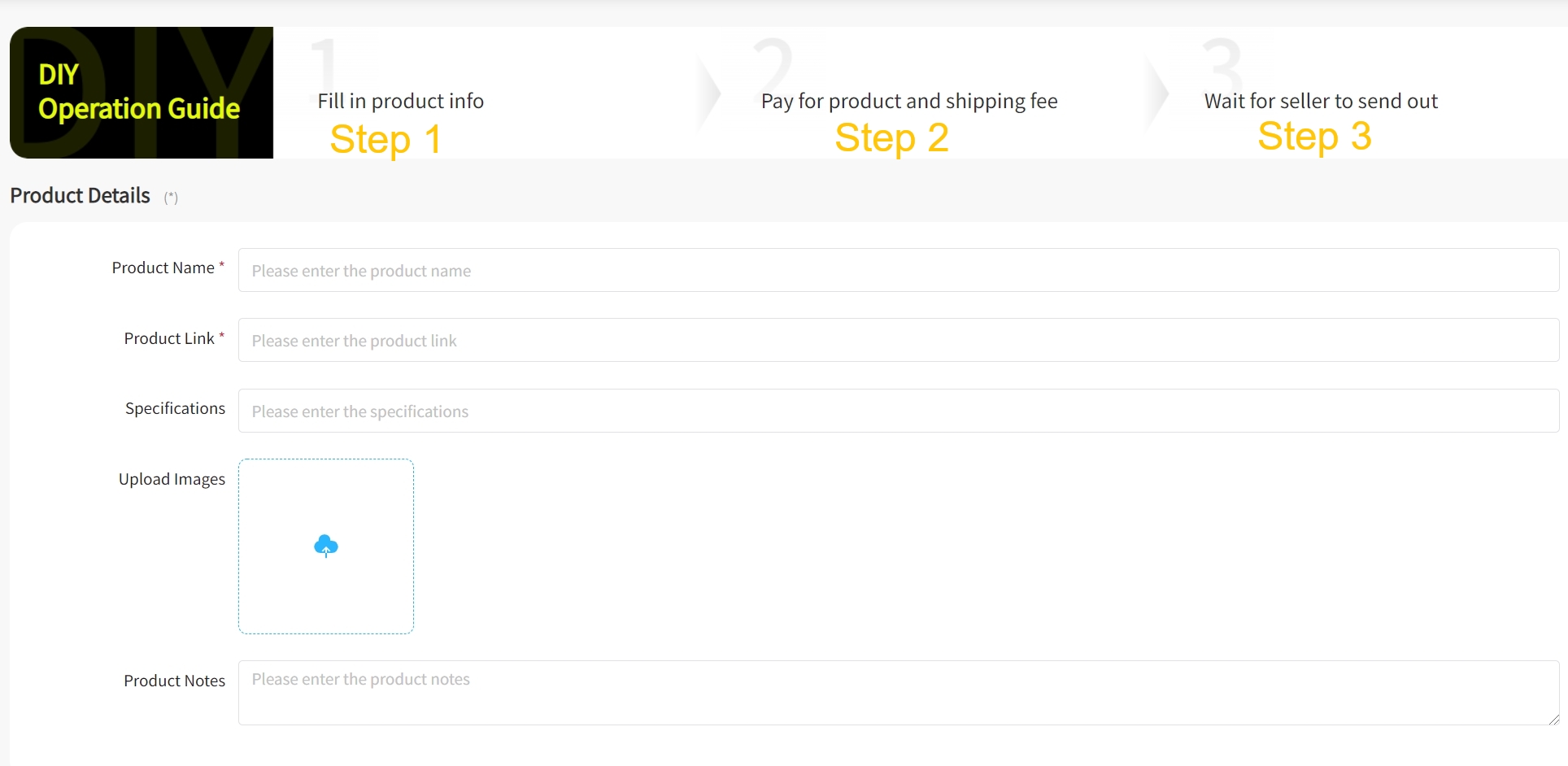
- Use the DIY order form when a current source link needs manual product information, specifications, images or notes.
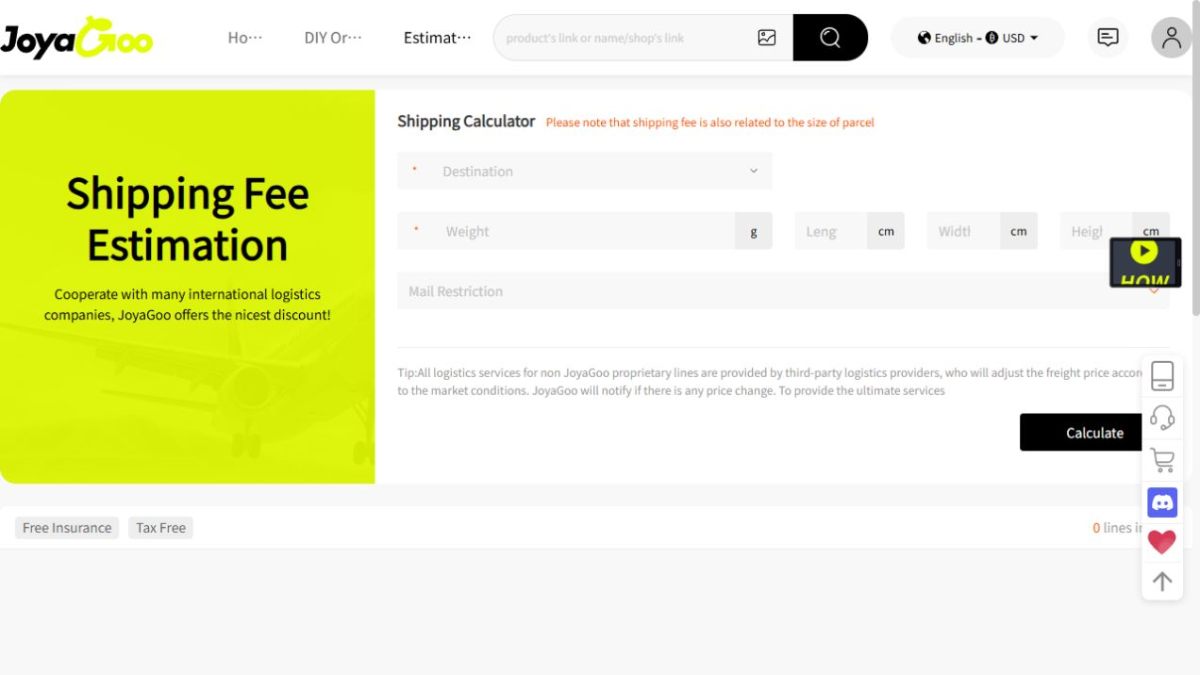
- Use the shipping estimator when you have a destination, packed weight, product type and parcel dimensions.
- Use the account and tracking pages only after the relevant order or parcel record exists.
Keep product checks separate from parcel checks
A product record identifies an item and its available options. It does not establish a final parcel weight, international route or delivered total. Finish the product check before moving to shipping planning.
For shipping, keep the destination, packed weight, dimensions, product type or restrictions and currency together. Record the route name, chargeable-weight rule, displayed amount and delivery range from the same dated result.
Use the DIY form only when the current fields are known
The Joyagoo form shows fields for a product name, product link, specifications, images and notes. Fill those fields from the current source record rather than from a saved picture.
If an identifier, option or price is missing, return to the product record and resolve it before continuing. A manual entry should preserve the exact item and option you intend to review.
Rerun time-sensitive checks
A dated interface image documents fields and labels, not a permanent rate or outcome. Re-enter the exact parcel on the current estimator and check the current account state before making a time-sensitive decision.
Save the date, product or parcel reference and the result you actually saw. That record makes a later price, route or status change easier to explain without mixing separate stages.
Questions and answers
Where should a Joyagoo product search begin?
Begin in the catalog with a keyword, style, subcategory or clear product image.
Why are manual-order and shipping pages separated?
They belong to different buying stages and use different fields.
Is a dated shipping image a current quote?
No. Enter the exact current parcel details in the live estimator before choosing a route.
What shipping fields should stay together?
Keep destination, packed weight, dimensions, product type or restrictions, currency, route and date together.
What should I save after a check?
Save the date, product or parcel reference and the exact result shown for that stage.
Joyagoo review · Shipping calculator test · Buyer Guide · Safety checklist